This blog now runs a Snowplow web tracker. Every page view, every ten seconds of reading, every section you scroll past and every click on the menu, the bell or a social link flows through a Snowplow pipeline into Signals, which turns that stream into a handful of attributes per session and serves them back over an API in a few milliseconds.
This is what Signals knows about your visit right now.
What is being computed
Two attribute groups, because some things belong to you and some to this one visit. Both are keyed on anonymous cookies the tracker sets: domain_userid follows you across visits, domain_sessionid resets after Snowplow’s 30-minute session timeout. One request returns both.
| Attribute | Kept | Source events | Aggregation |
|---|---|---|---|
session_source |
this visit | page_view |
last of UTM source, else Snowplow’s referrer name, else host; internal clicks skipped |
sections_read |
across visits | section_view |
counter |
current_section |
across visits | section_view |
last title |
ui_opened |
across visits | ui_click |
unique list of target |
pages_viewed |
across visits | page_view |
unique list of page_urlpath |
page_pings |
across visits | page_ping |
counter |
persona_counts |
across visits | page_view |
category count of the page entity’s persona |
section_view and ui_click are two tiny custom schemas of mine. The section one fires once per heading when it scrolls into the top part of the viewport, the click one fires for the nav toggle, the bell in the corner, and any GitHub, LinkedIn, Instagram, email or RSS link. The attribute group is defined in Snowplow Console.
The widget above asks a Cloudflare Worker for your attributes: every second right after a page loads, every five seconds after that. The Worker holds the API key, the browser never sees it.
What it changes on the website
Those attributes don’t just sit in the widget. The site reads them and changes for you. All of it needs your consent: without it your events are anonymous and Signals can’t tell you apart from anyone else.
The logo
The signature in the top bar takes the colours of where you came from. Arrive from Google, LinkedIn, Instagram or TikTok and watch it change.
The bell
The text behind the bell in the corner changes too. Come from social media and it’s looser. Come from LinkedIn and it’s more serious and to the point.
The highlighted posts
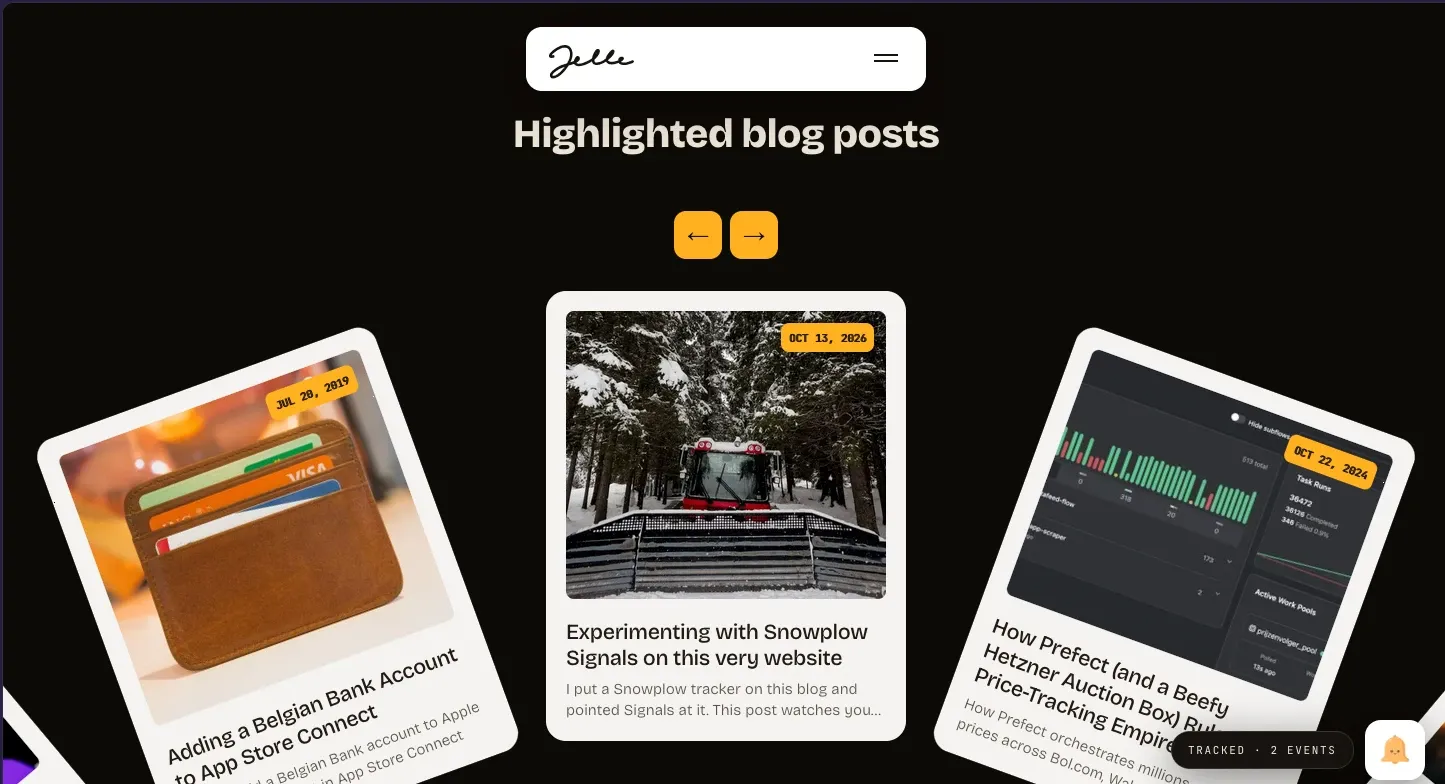
Every post is tagged as professional or personal. Read the technical ones and the highlighted posts on the front page fill up with more professional posts. Come from social media or read the personal ones and you get personal posts.
The first one is what a professional reader sees: Snowplow Signals (of course), a Belgian bank account in App Store Connect, and how Prefect and a beefy Hetzner auction box orchestrate my price tracking.
The second one is the personal version: my polaroids, chess, and the places I added to Google Street View.
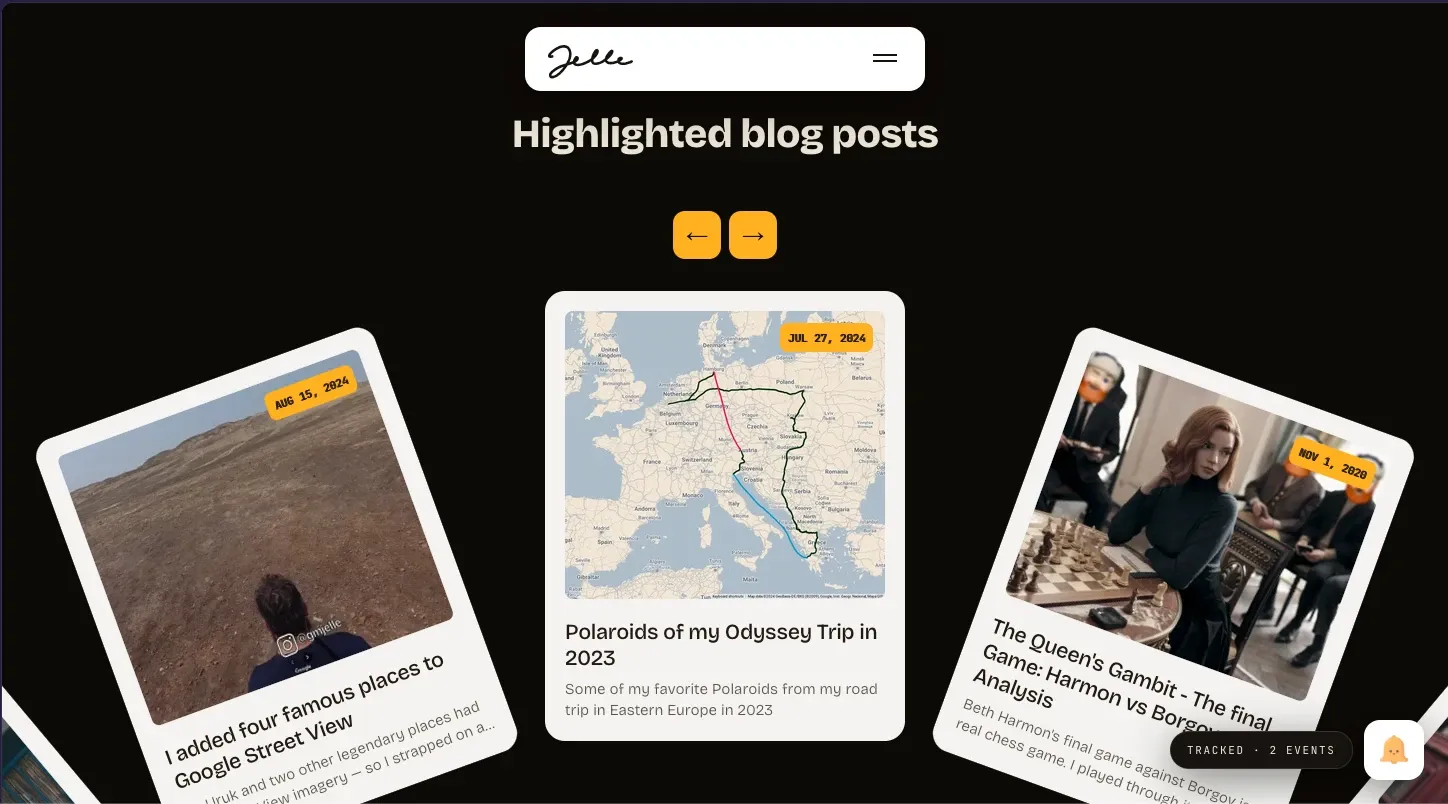
The About page
The About page follows the same split. From LinkedIn it’s professional: my skills and what I do. If you rate as more of a personal connection, it’s about my travels and my hobbies.
Tagging every post with a persona
The next step is a site that adapts to who is reading. Mapping URLs to “professional” or “personal” in Signals would get messy with every new post, so the label lives with the content instead. Every post has a persona in its front matter:
title: "How to make an AliExpress affiliate API call"
tags: ["code"]
persona: "pro"
The layout turns that into a small page entity that rides along with every event on the page:
{
  "schema": "iglu:me.vandevliet/page/jsonschema/1-0-0",
  "data": {
    "persona": "pro",
    "tags": ["code"],
    "kind": "post"
  }
}
Signals then needs one attribute: a category count of persona across page views. Read three code posts and one polaroid post and you get {"pro": 3, "personal": 1}.
The catch: Console couldn’t see the entity
Building that attribute in Snowplow Console didn’t work. The property picker kept saying no entities linked to your event, even with the schema in production, attached to the source app and published in a tracking plan with an event specification.
The reason: Console fills that picker from the data catalog, and the catalog is built from what lands in your warehouse. This site has no warehouse, only a stream. The entity was flowing into Signals fine; the UI had simply never seen it.
Signals itself doesn’t care. So the attribute went in through the API instead, and Console shows it like any other one afterwards. In Python, with the Signals SDK, the whole thing is this:
from snowplow_signals import (
    Attribute, EntityProperty, Event, Service, Signals, StreamAttributeGroup,
)

sp = Signals(api_url=API_URL, api_key=API_KEY, api_key_id=API_KEY_ID, org_id=ORG_ID)

persona_counts = Attribute(
    name="persona_counts",
    type="dict",
    events=[Event(vendor="com.snowplowanalytics.snowplow", name="page_view", version="1-0-0")],
    aggregation="category_count",
    property=EntityProperty(vendor="me.vandevliet", name="page", major_version=1, path="persona"),
)

# the group built in Console, plus the one attribute the UI can't build
latest = sp.get_attribute_group(name="web_session").model_dump()
group = StreamAttributeGroup(
    name="web_session",
    version=latest["version"] + 1,          # published versions are immutable
    attribute_key=latest["attribute_key"],
    owner=latest["owner"],
    attributes=[*latest["attributes"], persona_counts],
)

# point the service the widget reads at the new version
service = Service(name="web_demo", owner=latest["owner"], attribute_groups=[group])

sp.publish([group, service])
Fetch the group you made in Console, add the one attribute the UI can’t build, bump the version, point the service at it, publish. Done.
Try it: arrive from somewhere else
The first attribute is where you came from. Signals keeps the last outside source of your visit and ignores clicks within this site. A UTM tag on the link wins; without one it falls back to the referrer, which the Snowplow pipeline turns into a clean name like Google or Instagram.
Click one of these, then watch the widget above and the signature in the top bar change colour. The real redirects go through the platform itself and open in a new tab; the UTM links fake it right here.
| Platform | Real redirect | UTM source link | What Signals records |
|---|---|---|---|
| google.com/url | ?utm_source=google | Google via redirect, google via UTM |
|
| linkedin.com/safety/go | ?utm_source=linkedin | LinkedIn via redirect, linkedin via UTM |
|
| l.instagram.com | ?utm_source=instagram | Instagram via redirect, instagram via UTM |
|
| TikTok | none, TikTok sends no referrer | ?utm_source=tiktok | tiktok via UTM |
The UTM links fake the visit with a tag. You don’t need one in real life, though. Click my link in an Instagram bio, a LinkedIn post or a Google result and the referrer alone does the job. TikTok is the exception: its in-app browser sends no referrer at all, so only a UTM tag tells Signals you came from there.
Why bother on a personal blog
Well, why not? In my professional life I work day in, day out with Snowplow, Snowflake and data modelling. These days the tools we use change at such a speed that you have to keep up by actually trying things. So when I saw I could open a trial account on Snowplow and play with Signals, I went for it.
I’m still on that trial, so everything above works for now. Once it ends, the widget will go quiet, but by then this post will probably be long forgotten anyway.
Cover photo by Warren Sammut on Unsplash.